The Ultimate Conference AV Checklist for Event Planning
By Humais Waqar, Marketing Head, Purrple Orryx Events · 16 Jun 2026 · 14 min read
Planning a corporate event? We plan and deliver conferences & summits end to end.
“The Ultimate Conference AV Checklist for Event Planning is a complete guide to ensuring every technical aspect of a conference runs smoothly. It covers essential elements such as sound systems, display screens, lighting, technical staffing, rehearsals, and backup planning. By following a detailed AV checklist, event organizers can create a professional, seamless experience that keeps audiences engaged and minimizes technical risks.”
Corporate conferences carry high stakes. Senior executives on stage, investors in the audience, journalists waiting for quotes, and a brand reputation sitting quietly in the background of every technical decision. When audiovisual production works well, no one mentions it. When it does not, it is the only thing anyone talks about after the event ends.
The difference between a conference that feels polished and one that feels chaotic often comes down to a single document: a detailed, thoroughly planned conference AV checklist.
Not a vague equipment list, but a structured planning framework that covers sound, visuals, lighting, staffing, backup systems, and show flow from the very first planning meeting to the final post-event wrap.
At Purrple Orryx, AV planning is treated as a core part of the event design, not a last-minute supplier conversation. For corporate events across Dubai and the UAE, where delegate expectations are high and technical standards are demanding, a thorough audiovisual checklist for events is not optional. It is the foundation of everything else.
This guide walks you through the complete conference AV setup process, section by section, so that every detail is covered before your guests walk through the door.
Why AV Planning Must Start Before Equipment Selection
The most common mistake in conference AV planning is jumping straight to equipment decisions before the event format is clearly defined. Clients ask whether they need an LED wall or a projection screen before they have confirmed how many speakers are presenting, whether the conference will be filmed, and how much natural light enters the room.
Good AV planning for corporate events begins with a set of fundamental questions that shape every technical decision afterward.
Define the Conference Format First
A board-level strategy session for 30 executives has very different AV needs from a 600-person industry conference with keynote speakers, live streaming, panel discussions, award moments, and sponsor presentations. The format determines the scale, the staffing, and the
level of production polish required.
Before any equipment is specified, confirm the following:
• Total delegate count and seating arrangement
• Number of speakers and their presentation styles
• Whether the event is being filmed or livestreamed
• Whether bilingual or multilingual content is required
• Presence of VIP guests, press, or broadcast media
• Brand and sponsor visibility requirements
• Duration and structure of the programme
Once these details are confirmed, AV planning becomes a focused, practical exercise rather than a guesswork-heavy shopping list.
Conference Sound System: Building the Audio Foundation
Of all the technical elements in a conference, sound is the one that affects everyone equally. A guest seated in the back row with imperfect sightlines can still follow a compelling presentation if the audio is clear. But if the sound drops, echoes, or feeds back, no amount of impressive staging will save the experience.
A complete conference sound system plan should address the following in detail.
Microphone Selection and Coverage
Different conference formats require different microphone configurations. There is no universal setup that works for every programme type.
• Keynote speakers: Lavalier (lapel) or discreet headset microphones allow free movement and hands-free delivery
• Panel discussions: A combination of handheld podium microphones and table-mounted gooseneck or boundary microphones
• Moderators: A handheld wireless microphone offers flexibility for audience Q&A rounds
• Audience Q&A: Roving handheld microphones operated by floor assistants, or fixed Q&A stands in a smaller room
• Remote presenters: A dedicated audio feed from the conferencing system, routed through the main PA
The number of open microphones in use at any time should be managed carefully. Every additional open channel introduces the risk of feedback or background noise. A skilled audio engineer will gate or mute channels that are not actively in use.
Speaker Placement and Room Coverage
Speaker placement is where many conferences quietly lose audio clarity. The default assumption that a single speaker cluster at the front of the room will cover all delegates evenly is rarely correct in longer venues.
Long conference rooms, wide ballrooms, and L-shaped layouts often require distributed speaker systems, delay speakers at the back, or additional side fills to maintain consistent volume and clarity across the room. A professional AV company with knowledge of Dubai conference venues will assess room acoustics during the site visit and recommend the appropriate speaker configuration.
Monitor and Confidence Feed for Speakers
Speakers performing in large rooms need to hear themselves clearly to maintain pace and energy. Foldback monitors on stage or in-ear monitoring systems ensure presenters can hear their own voice without relying on the main PA, which may have a delay in larger rooms.
Consider also whether the audio engineer needs a dedicated monitor mix and whether interpreters, if present, require a clean audio feed for their booths.
AV Equipment for Conferences: Screens, Projection, and Display
Visuals are where your conference content becomes tangible to delegates. Poorly sized screens, low-resolution projection, or a display system that washes out in a bright room will undermine even the most well-prepared presentation deck. Event projection setup decisions should be driven by room conditions, content type, and audience scale.
Choosing Between LED Walls and Projection Screens
The LED vs projection debate is one of the most frequent conversations in corporate event AV planning. Here is a practical way to approach the decision:
• LED walls: Ideal for high-ambient-light environments, large venues, branded visual content, and events where sharp colour saturation matters. They require no blackout and are highly effective for motion graphics and video content.
• Projection screens: Better suited to controlled-light environments, tighter budgets, or events where the scale of the room does not justify LED rental costs. Rear projection can be a cleaner aesthetic option in venues where the throw distance allows it.
• Hybrid setups: Many conferences use a large centre LED wall for main programme content and flanking projection screens for additional content, IMAG (image magnification), or sponsor messaging.
For conference events at leading hotels and venues across Dubai, the venue's in-house display capabilities should be assessed before assuming they will meet the event's production standard. In many cases, a specialist AV provider will bring superior equipment regardless of what the venue offers.
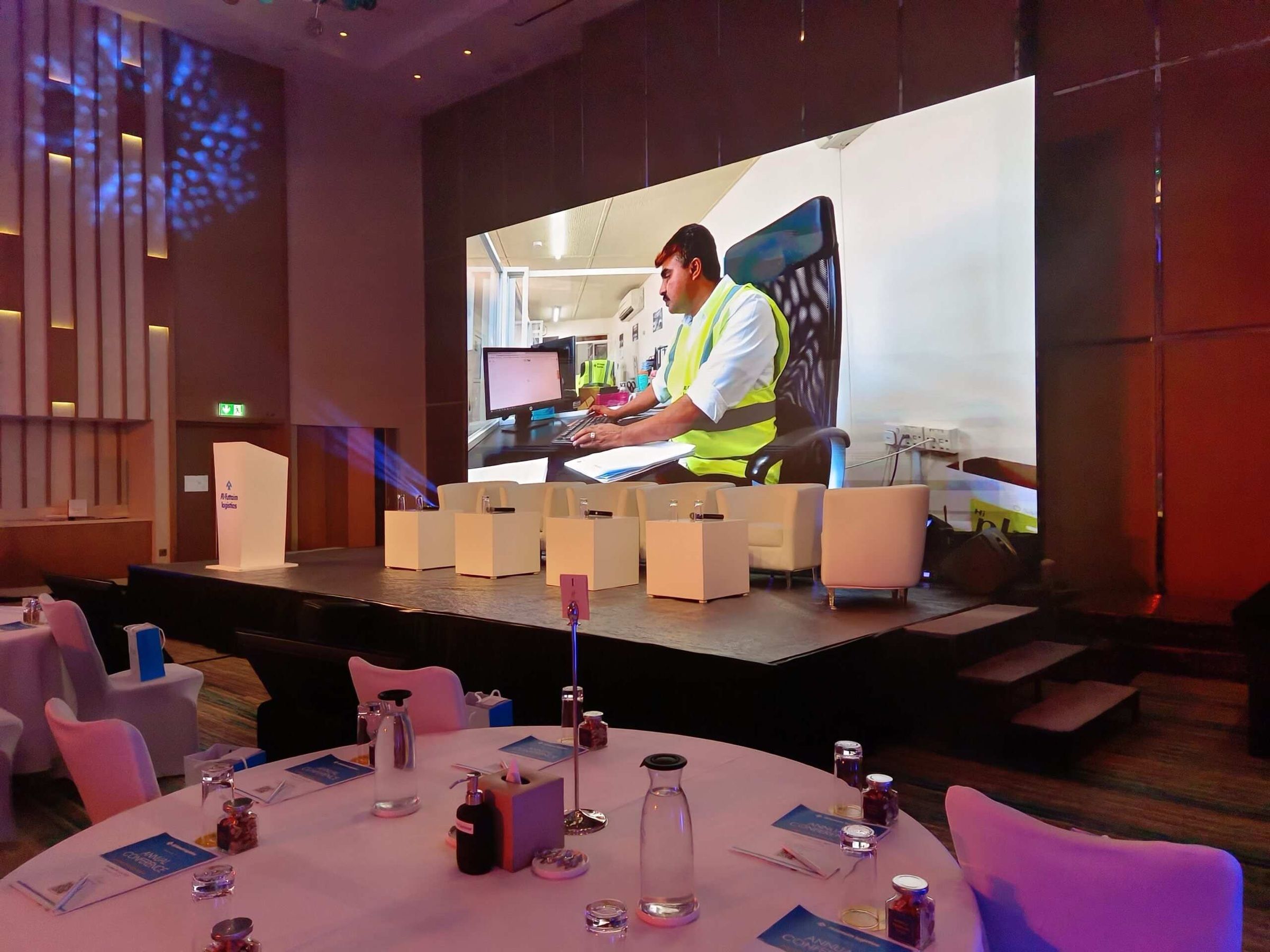
Confidence Monitors and Side Screens
Confidence monitors are small screens placed at the front edge of the stage, facing the presenter. They display the current slide, speaker notes, an event timer, or cue prompts. For conferences with tight timings or complex programmes, they reduce the risk of speakers losing their place or overrunning.
Side screens improve sightlines for guests seated at angles to the main stage. In wide-format rooms or cabaret-style layouts, side screens prevent delegates from straining to view the main display and help maintain engagement across the whole room.
Presentation File Management
Even the best screen setup will fail if the presentation content is not properly managed. A rigorous AV checklist for events should include a clear process for:
• Collecting all presentation files from speakers at least 24 hours before the event
• Converting files to a standardized format and checking for font compatibility
• Testing all embedded video, transitions, and animations on the actual playback hardware
• Confirming aspect ratios match the display system being used
• Verifying clicker compatibility and wireless range on stage
• Creating backup copies of every file on a separate device
Conference Lighting Requirements: Function Before Atmosphere
Lighting is sometimes treated as a purely aesthetic element in conference planning. In reality, it has direct functional consequences for how speakers are perceived, how the audience feels, and how the event is photographed and filmed.
Effective conference lighting requirements planning should address three distinct zones.
Stage Lighting for Speakers
Speakers need even, flattering front light that illuminates faces clearly without creating harsh shadows or washing out skin tones. The key considerations are:
• Front wash lighting that covers the full stage area without creating hot spots
• Colour temperature calibrated for both the human eye and camera sensors (typically 3200K to 5600K depending on the environment)
• Backlight or hair light to separate speakers visually from the background
• Avoidance of coloured gels on speaker faces unless the aesthetic decision has been carefully tested on camera
If the conference includes media coverage, live streaming, or professional videography, the lighting brief should be shared with the camera team in advance. What appears well-lit to the human eye can record very differently on camera, particularly in rooms with mixed natural and artificial light.
Audience Area Lighting
Delegate comfort should never be sacrificed for stage ambiance. The audience area needs sufficient ambient light for note-taking, comfortable viewing of the stage without squinting, and a sense of engagement rather than passivity.
Dimmable house lighting allows the AV team to adjust the audience environment for different programme moments, brighter during networking breaks, lower during presentations, and adaptable for any filmed segments.
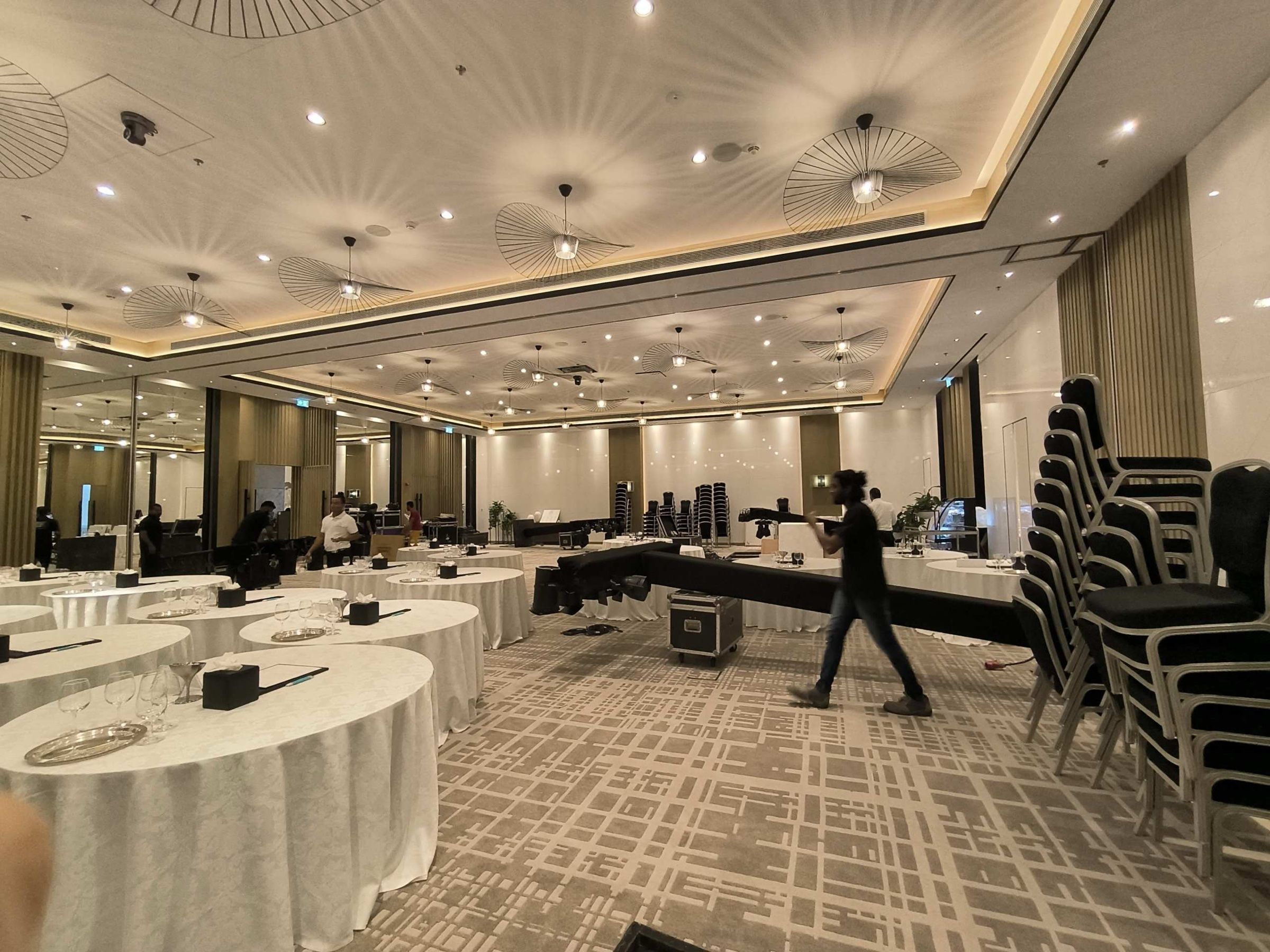
Branded Colour Washes and Environmental Lighting
Many corporate conferences use branded colour washes to reinforce visual identity, projecting the organization's brand colours onto walls, columns, drapes, or the stage floor. This is an effective technique when used with restraint.
The risk is over-saturation. If the lighting environment becomes too colourful or too dramatic, it competes with the content on screen and distracts from the speakers. Branded lighting should enhance the professional atmosphere, not replace it.
AV Planning for Corporate Events in Dubai: What Makes It Different
Dubai's corporate event landscape operates at a consistently high standard. Multinational companies, government bodies, and global brand activations all expect production values that reflect the city's international profile. AV planning for corporate events in Dubai, therefore, requires an additional layer of awareness.
Venue Technical Assessment
Dubai's leading conference venues range from dedicated convention centres with sophisticated in-house infrastructure to hotel ballrooms where technical capabilities vary significantly. A proper venue AV assessment should cover:
• Ceiling rigging points and weight limits for truss, screens, and lighting
• Power supply locations, circuit capacity, and load-in timing
• Existing in-house AV: quality, compatibility, and whether it meets the event's requirements
• Acoustic characteristics of the empty and furnished room
• Access restrictions for AV crew during event setup and breakdown
• Cable routes, floor covering requirements, and guest-facing area access
Working with an event management company in Dubai that has established relationships with venues across the city, such as Purrple Orryx, can significantly simplify this process. Local knowledge removes assumptions and replaces them with verified information.
Multilingual and Interpretation Requirements
Many conferences in Dubai and the UAE involve multilingual audiences. Arabic, English, Hindi, French, and other languages may all be represented in the same room. When simultaneous interpretation is required, the AV plan must include:
• Professional interpreter booths with acoustic isolation and clear sightlines to the stage
• Dedicated audio feeds from the main system to each interpreter booth
• Wireless receiver distribution to delegates requiring interpretation feeds
• Testing of all interpretation channels before the event begins
Multilingual AV requirements should be confirmed at the earliest planning stage, as they affect room layout, delegate seating, and equipment rental lead times.
Show Flow and Technical Cueing: Where AV and Event Design Meet
The most sophisticated AV setup in the world will produce a disjointed experience if the running order is not clearly documented and rehearsed. Show flow is the bridge between the event agenda and the AV technical plan.
Building the Cue Sheet
A detailed AV cue sheet translates every programme moment into a specific technical action. For each session, the cue sheet should document:
• Walk-on music track name and fade timing
• Speaker introduction slide or holding graphic
• Microphone assignment and when it goes live
• Slide deck name and first slide confirmation
• Video playback files and their position in the running order
• Lighting changes, including level adjustments and colour shifts
• Any special effects, including sound effects, audience reveals, or branded moments
• Walk-off music and transition to the next session
For conferences with multiple presenters, award sequences, or live video elements, the cue sheet can run to dozens of pages. That is not complexity for its own sake. It is the level of detail required to deliver a seamless experience at a professional production standard.
Technical Rehearsal
No cue sheet replaces a live technical rehearsal. The rehearsal allows the AV team to test every cue in sequence, identify timing mismatches, and confirm that all equipment behaves as expected in the actual room environment.
Speakers should ideally attend a portion of the rehearsal to test microphones, confirm presentation files display correctly, and become familiar with on-stage sightlines, confidence monitors, and the position of the lectern or presentation area. For senior executives or external keynote speakers, this removes a layer of uncertainty that often manifests as visible nervousness at the start of their segment.
Event Technical Production Staffing: Who You Need in the Room
Equipment performs only as well as the people operating it. Conference AV is a live environment that requires skilled operators who can anticipate programme changes, respond to unexpected situations calmly, and communicate clearly with the event management team throughout the day.
A full event technical production team for a professional conference typically includes:
• Audio engineer: Manages microphone levels, playback audio, music, and all sound elements throughout the programme
• Vision operator: Controls presentation slides, video playback, graphics, and IMAG feeds
• Lighting operator: Adjusts lighting looks across different programme moments and manages any automated or moving light systems
• Stage manager: Coordinates speaker movements, cues the AV team, manages props and lectern positions, and maintains programme timing
• Presentation technician: Manages the presenter's laptop, clicker systems, and slide switching support
• Floor technicians: Handle roving microphones during Q&A, monitor audience feeds, and respond to technical issues in the room
On smaller, simpler conferences, some of these roles may be combined. However, combining too many responsibilities in a single operator under live event pressure is a risk that experienced event production teams avoid wherever possible.
At Purrple Orryx, we provide complete technical staffing as part of our corporate event management services, ensuring that every operator is briefed, rehearsed, and aligned with the event's specific programme requirements before the first guest arrives.
Backup Planning: The AV Preparation No One Sees, but Everyone Benefits From
Professional event production has a principle that rarely makes it into client presentations but defines the quality of the output: the best technical teams are judged by how invisible their contingency planning is. When everything runs smoothly, no one knows about the spare microphone clipped to the stage desk or the backup laptop loaded with all presentation files.
A complete conference AV setup plan should document backup provisions for:
• Microphones: Spare handheld and lapel units with fresh batteries, available for immediate deployment if a primary microphone fails
• Presentation systems: A secondary laptop loaded with all slides, videos, and graphics, connected and ready to switch instantly
• Audio amplification: Backup amplifier channels and redundant signal paths for critical audio feeds
• Connectivity: Secondary internet connection or 4G/5G failover for any livestreaming or remote presenter connections
• Power: UPS (uninterruptible power supply) units for critical equipment that cannot tolerate even a brief power interruption
• Cables and adapters: A comprehensive toolkit covering common connector types, video adaptors, and audio patching options
The level of backup investment should reflect the risk profile of the event. An internal team briefing can absorb a brief technical pause. A flagship leadership summit with press attendance and live streaming cannot. Budget accordingly.
The Pre-Event Final Checklist: Last 24 Hours Before Showtime
The 24 hours before a conference begins are when all the planning either holds together or reveals gaps. A disciplined final checking process protects everything that has been planned in the weeks before.
Evening Before the Event
• Full technical rehearsal of all AV cues in sequence
• Confirmation of all presentation files on both primary and backup systems
• Microphone channel labelling and level presetting for each speaker
• Lighting look confirmation for all programme states
• Internet speed testing and remote presenter connection test
• Venue walkthrough to confirm cable runs, furniture positions, and access points
• Briefing of all technical crew on show flow, emergency procedures, and communication channels
Morning of the Event
• Equipment power-on and full system check
• Microphone battery replacement with fresh units on all wireless systems
• Final confirmation of slide order and any last-minute file changes from speakers
• Client walkthrough of the room for branding, screen layout, and seating confirmation
• Confirmation of catering and signage positions to ensure they do not obstruct sightlines or cable routes
• Crew communication check on all headsets and talkback channels
• Pre-event team briefing covering the full running order and any changes since rehearsal
This level of structured preparation is what separates events that feel effortlessly professional from those that feel rushed and reactive.
Working with a Professional Event Partner for Seamless AV Delivery
Managing a conference AV checklist across multiple suppliers, venues, and programme timelines is a significant organizational challenge. Many clients find that integrating AV planning into a wider event management partnership is the most efficient and reliable approach.
When AV is managed separately from the broader event design, it creates coordination gaps. The AV supplier does not know about the last-minute programme change. The venue coordinator is not aware of the additional rigging requirement. The client is managing multiple threads that should be part of a single, coherent plan.
Purrple Orryx manages conference production as an end-to-end service, with AV planning fully embedded in the event design process. From the initial brief through to post-event derig, our team coordinates technical requirements alongside venue management, speaker logistics, branding, and programme design. This integrated approach means that a change to the running order is reflected immediately in the AV cue sheet, and a new sponsor requirement is accounted for in the screen layout without the client having to manage the communication across multiple parties.
For corporate event planning in Dubai and across the UAE, this coordinated model consistently delivers a more polished outcome than a fragmented multi-supplier approach, particularly for high-stakes events where there is no margin for visible technical error.
Final Thoughts
A conference is a substantial investment in time, budget, and brand reputation. The delegates attending expect clarity, professionalism, and an experience that reflects the seriousness of the organization hosting it. Every element of that experience, from the first word of the opening keynote to the final Q&A microphone pass, is shaped by the quality of the AV planning behind it.
The ultimate conference AV checklist is not a single document you fill out once. It is a living planning framework that starts with event format decisions and is refined continuously as the programme develops, the venue is confirmed, and the speaker list is finalized. It covers sound, visuals, lighting, staffing, show flow, backup systems, and pre-event validation, and it leaves nothing to assumption.
When the AV is right, the conference feels right. Guests engage, speakers deliver with confidence, and the brand message lands with the authority it deserves. That outcome is not accidental. It is the result of disciplined, detailed planning, executed by a team that understands what professional conference production actually requires.
Whether you are planning a leadership summit, an annual shareholder meeting, a product launch, or a multi-day industry conference, Purrple Orryx brings the expertise, local knowledge, and technical partnerships to ensure your event audio visual checklist translates from planning document to flawless live execution.
FAQs
Q1: What should be included in a conference AV checklist?
A: A complete conference AV checklist should cover sound system design, microphone selection and placement, screen and projection setup, lighting, presentation management, backup equipment, technical staffing, and rehearsal scheduling. The checklist should always be customized to the event's size and format.
Q2: How early should AV planning begin for a corporate conference?
A: AV planning should begin as soon as the venue is selected. For large corporate conferences, it is recommended to engage an AV specialist or event management company at least eight to twelve weeks before the event to allow sufficient time for planning, equipment sourcing, and technical rehearsals.
Q3: Should I use an LED wall or projection screens for my conference?
A: The choice depends on your venue, content, and budget. LED walls offer superior brightness and visibility in well-lit environments, while projection screens are more cost-effective for controlled-light settings. Many conferences use a combination of both for the best audience experience.
Q4: How many AV technicians does a corporate conference need?
A: The required number of technicians depends on the event's complexity. Small conferences may only need two or three technicians. At the same time, larger events with live streaming, multiple speakers, and video production often require a full technical team, including audio, video, lighting, and stage management professionals.
Q5: What backup AV equipment should be on-site for a major conference?
A: Essential backup equipment includes spare wireless microphones, backup laptops with presentation files, redundant internet connections, extra cables and adapters, and UPS systems for critical equipment. High-profile events typically require additional redundancy measures.
Q6: Why is a technical rehearsal important for conference AV?
A: A technical rehearsal helps identify and resolve issues before the event begins. It allows speakers to test microphones, review presentations, and become familiar with the stage setup while allowing the AV team to verify cues, timing, and equipment performance in the actual venue environment.
About the author: Humais Waqar, Marketing Head, Purrple Orryx Events. Humais Waqar leads marketing at Purrple Orryx Events, the Dubai corporate event management company, and writes about planning conferences, gala dinners, launches and team events in the UAE.